


Table QR ordering
Let guests scan a menu and place orders from their phones, separated by table with configurable expiry.
 CafePOSPoint of sale
POS and QR ordering for cafes and small restaurants
Take orders, accept payments, print receipts, review reports, manage inventory, and let guests order from their phones with table QR codes. New online orders alert the app and can flow straight to kitchen or bar printing.
Online Ordering
CafePOS helps reduce queue and table-order pressure. Guests scan a QR code, browse your menu, choose options, add notes, and send the order from their phone without installing an app.
Menu items and options sync from the store and expire automatically when the session closes.



Built For Real Counters
CafePOS is more than a checkout screen. It keeps the recurring work of a service day in one flow, from opening a shift and taking payments to printing receipts, closing cash, and checking what needs restocking.
Let guests scan a menu and place orders from their phones, separated by table with configurable expiry.
New orders alert the app, sync into the POS, and keep kitchen or bar print queues moving.
Send order tickets to the kitchen with clear bar-ticket layouts and printer cut options.
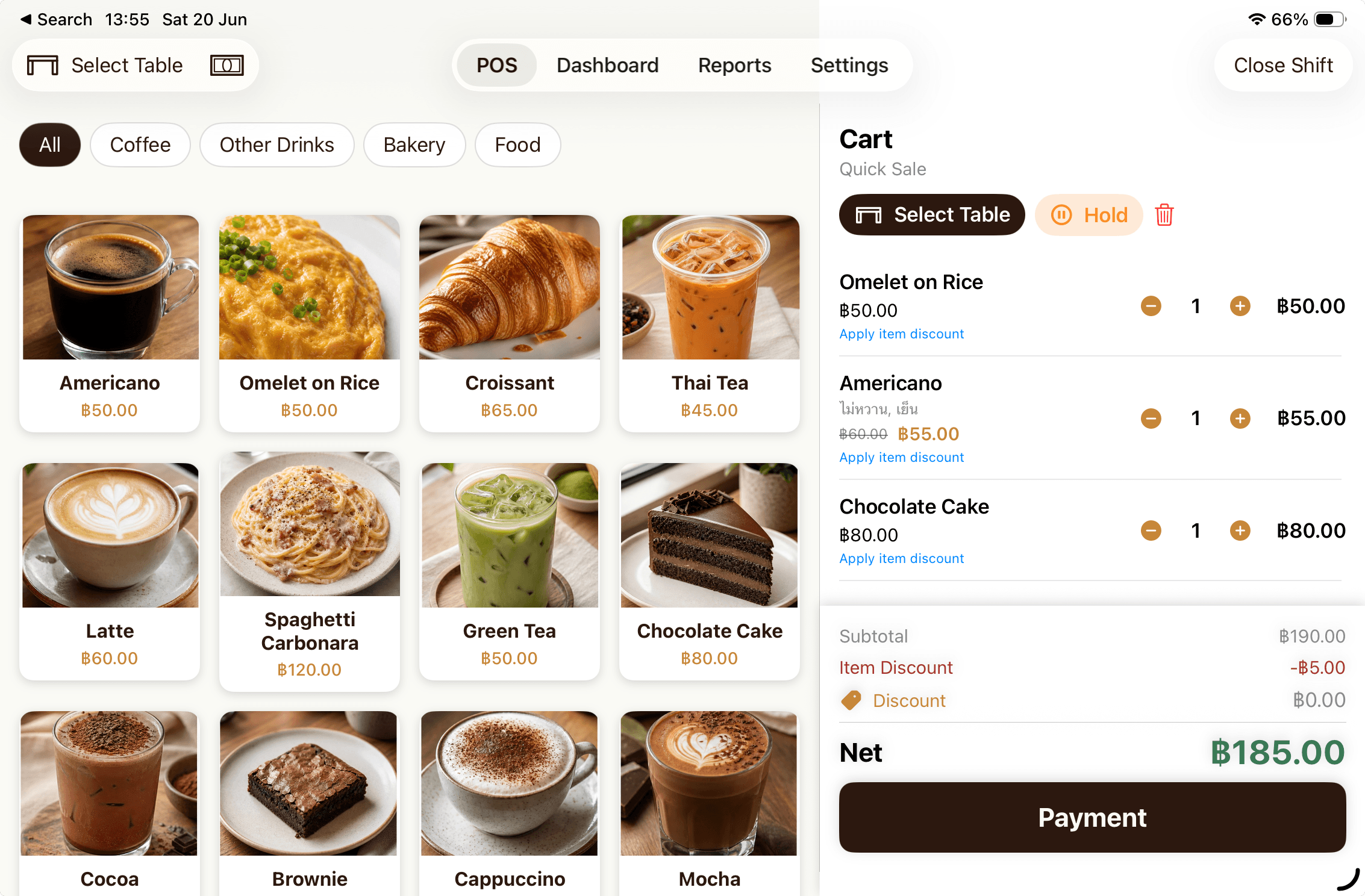
Use menu grids, size and topping options, held orders, discounts, and automatic change calculation.
Track cash, offline PromptPay QR, card, and custom transfer methods with separated totals at shift close.
Review today's sales, shift reports, order history, and exports for accounting or operations.
Receive stock, adjust counts, record waste, track expiry dates, and get low-stock reminders.
Print receipts, share PDFs, configure logos and receipt footers, and use Bluetooth or WiFi printers.
Use PIN login, owner and staff roles, customer records, and loyalty points for returning guests.
Online-order device activation uses identity checks and signed requests to reduce wrong-device access.
Offline-first
Core store data such as menus, orders, shifts, inventory, and settings lives primarily on the device. External services such as Apple subscriptions or Telegram are used only when a feature needs them.
Pricing
CafePOS Pro unlocks unlimited orders and supports ongoing feature development. Payment, renewal, and cancellation are handled through Apple ID.
After the trial, the free version is limited to 20 orders per day.
Start from the App StoreBest for shops that want to start with a monthly plan.
THB 999 / year, 16% less than paying monthlyFAQ
CafePOS is built for cafes, bakeries, small restaurants, food trucks, and counter-service shops that need a simple POS without relying on the internet all the time.
Yes. Core counter sales, menus, local inventory, on-device reports, and offline PromptPay QR are designed around the device. QR online ordering needs internet access to receive guest orders.
The shop opens a QR session for a table or service period. Guests scan the code, browse the menu, and send orders from mobile. CafePOS alerts the app and can print kitchen or bar tickets in sequence.
CafePOS supports iPhone and iPad running iOS or iPadOS 18.6 and later. iPad is best for the counter, while iPhone is useful for owners checking sales during the day.
CafePOS Pro is managed through Apple ID. Users can cancel or change plans in Apple Settings or the App Store Subscriptions page.

Download the app and start setting up your store, menu, PromptPay, and QR ordering right away.